Run the job. Run the kitchen. All on Jetsy.
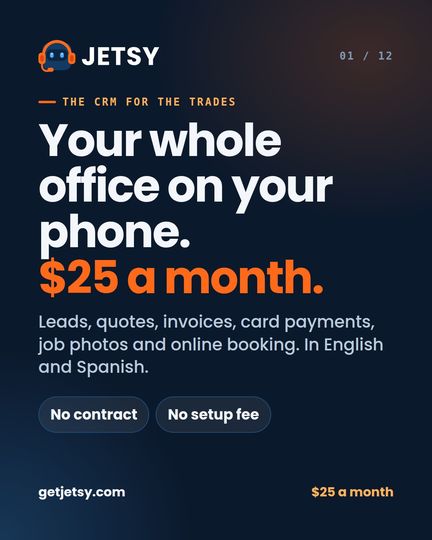
A CRM for home services from $25 a month, and the complete system to run a restaurant: the register, a kitchen screen, online orders and delivery. In English and Spanish, built by a painting company that runs on it every day.
7 days free on either one. No card for the free week. No contract. Cancel any time. 27% off every month with code CRM27
With code CRM27 Jetsy is $25 $18.25 a month, every month you stay. Free for 7 days first, no card. The code is already in the button.
Which Jetsy is yours?
Same company, same app, same people answering the phone. Two jobs it was built to do.
From the first call to the money in the bank.
One job, start to finish, without a notebook, a spreadsheet or a second app.
A lead comes in
A call, your booking page or your website. It lands in Leads with the name, number and address.
Book the visit
It goes on your calendar. Routes puts the day’s stops in driving order.
Price it
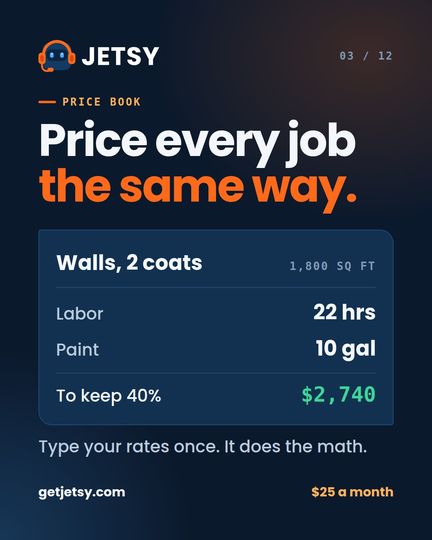
Type the square feet or the count. The price book works out hours, materials and the price your margin needs.
Send the quote
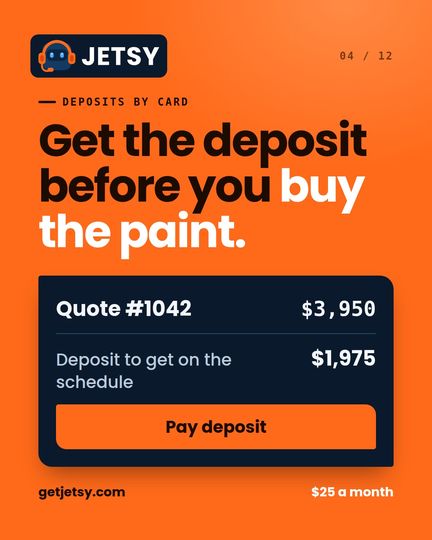
With your logo and the before photos. Ask for a deposit and they pay it by card from the quote.
Do the work
Put your crew on it, snap the after photos, track what each worker is owed.
Get paid
Send the invoice with a Pay now button. The money goes to your bank and the job marks itself paid.
Slide to see the job.
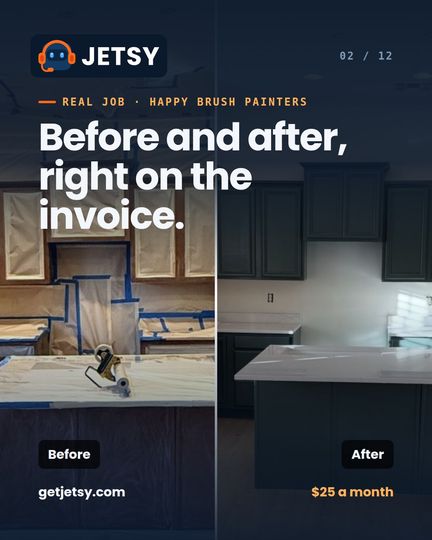
A kitchen cabinet repaint by Happy Brush Painters, our own painting company. Photos like these go straight onto your quotes and invoices.
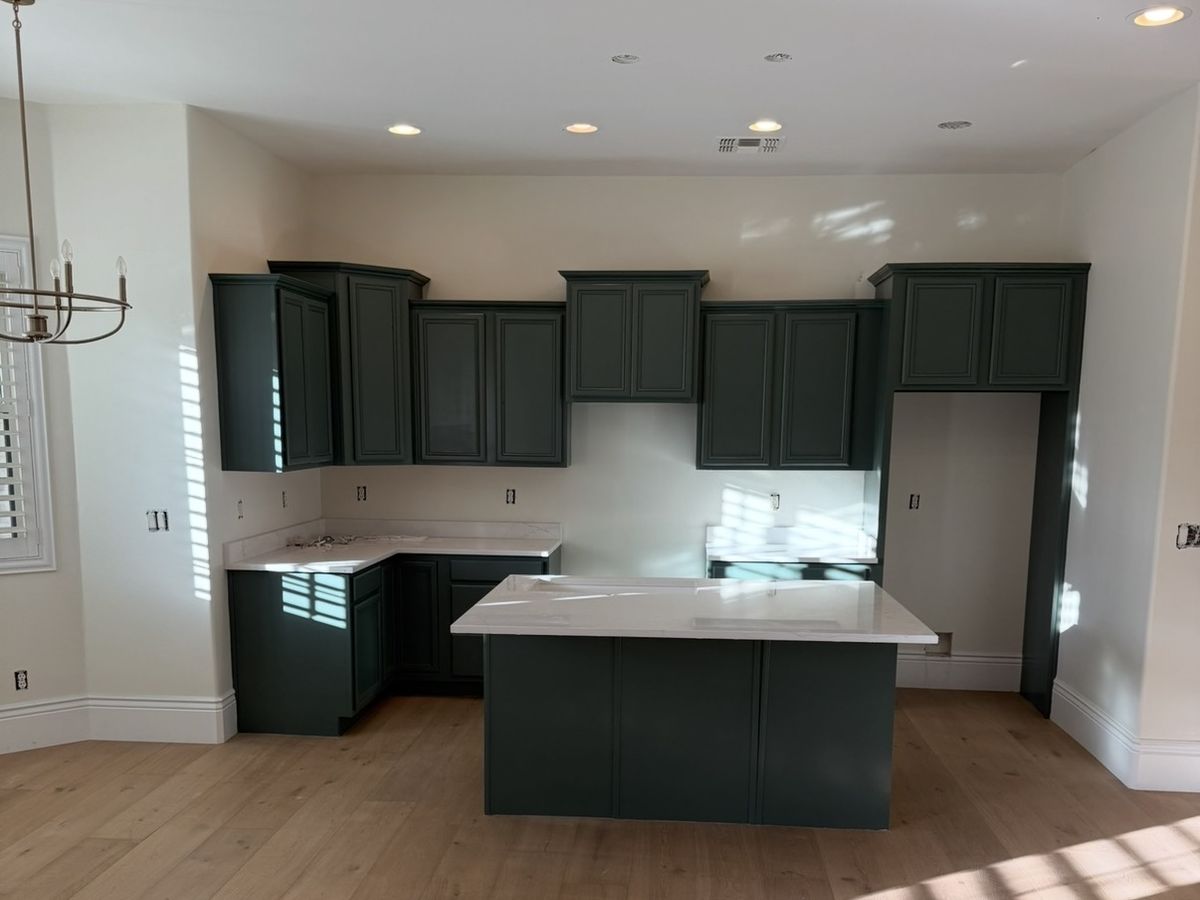
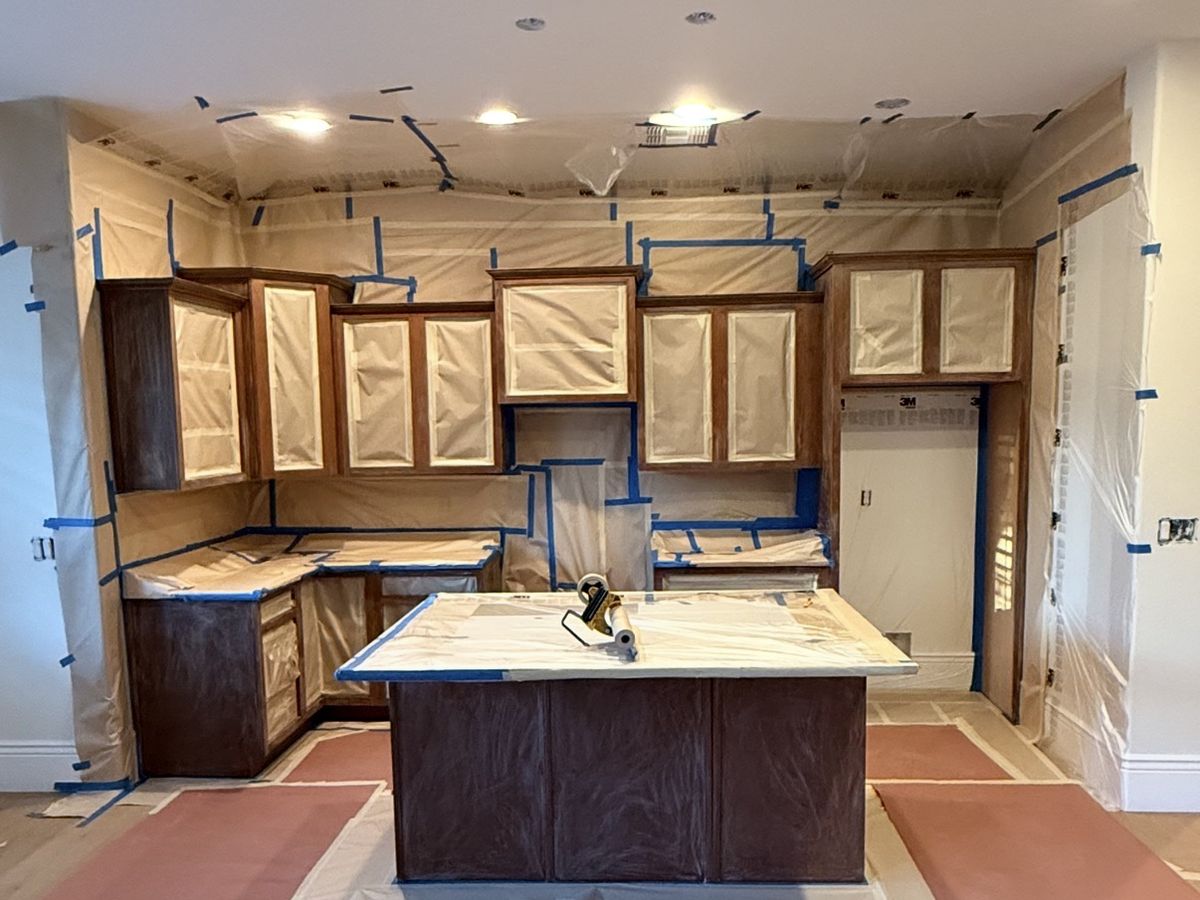
Before and after on the invoiceUp to 24 photos a jobShot from your phone

We own Happy Brush Painters. Jetsy runs it.
Jetsy wasn’t built in an office. It was built inside our own painting company in Scottsdale, Arizona, and every feature is used on real jobs before it reaches you.
- Every lead and call lands in Jetsy
- Every job priced from the price book
- Crew and crew pay tracked in it
- The receptionist answers our line
Everything the office does. Nothing to add on.
No add-ons and no locked tiers for the basics. Photos, deposits, booking and card payments come with every plan.
Leads that don’t slip
Every call and form in one list, with a call-back date and a nudge when it’s due.
Price book
Your rates typed once. Every job priced the same way, by square foot, piece, room or hour.
Job photos
Before and after on every job, printed on the quote, the invoice and the proposal.
Card payments
A Pay now button on every invoice. Deposits on quotes. Paid straight to your own bank.
Online booking
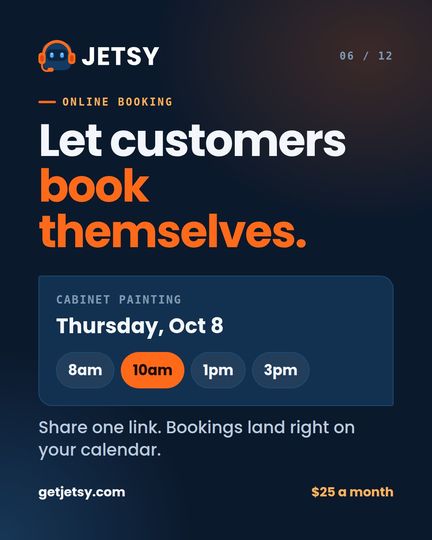
A link customers use to pick a service and an open time. It lands on your calendar.
Proposals
Branded proposals by email, with your logo, deposit terms and a printable page.
Routes
Today’s and tomorrow’s stops in driving order, one tap to directions.
Crew and crew pay
Who is on which job, and what each one is owed, with nothing added up by hand.
What each job kept
Margin on every job, not an average. The losing jobs stop hiding.
Automatic messages
Reminders before a visit and a review ask after the job.
QuickBooks export
Invoices out in a file your bookkeeper can use.
English and Spanish
The whole app switches with one tap. Your crew reads it their way.
This is what you’ll open every morning.
Real screens from our sample painting company. Swipe through them, then open the sample and tap around yourself.
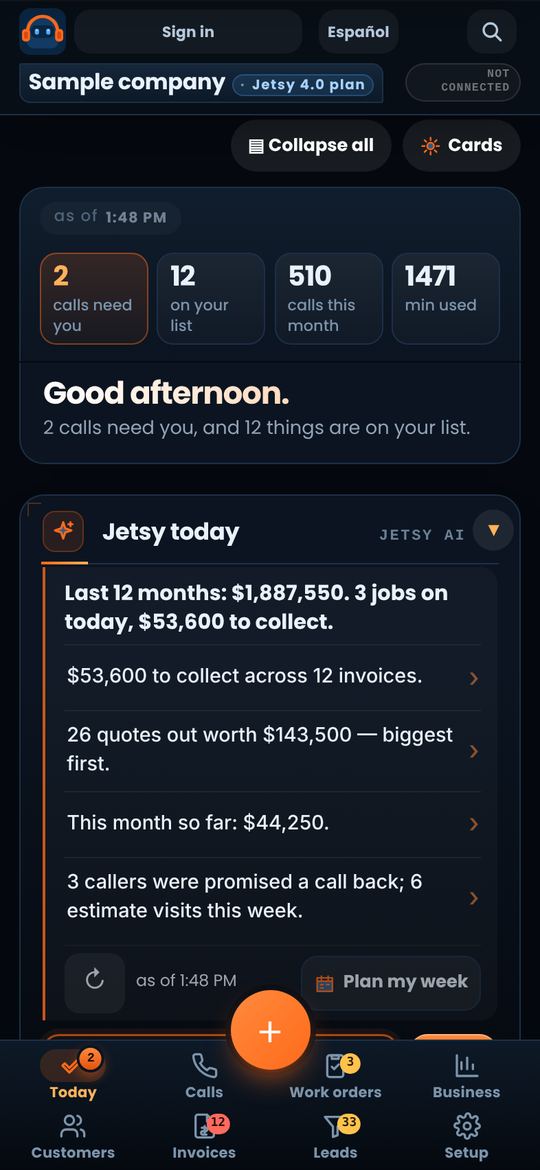
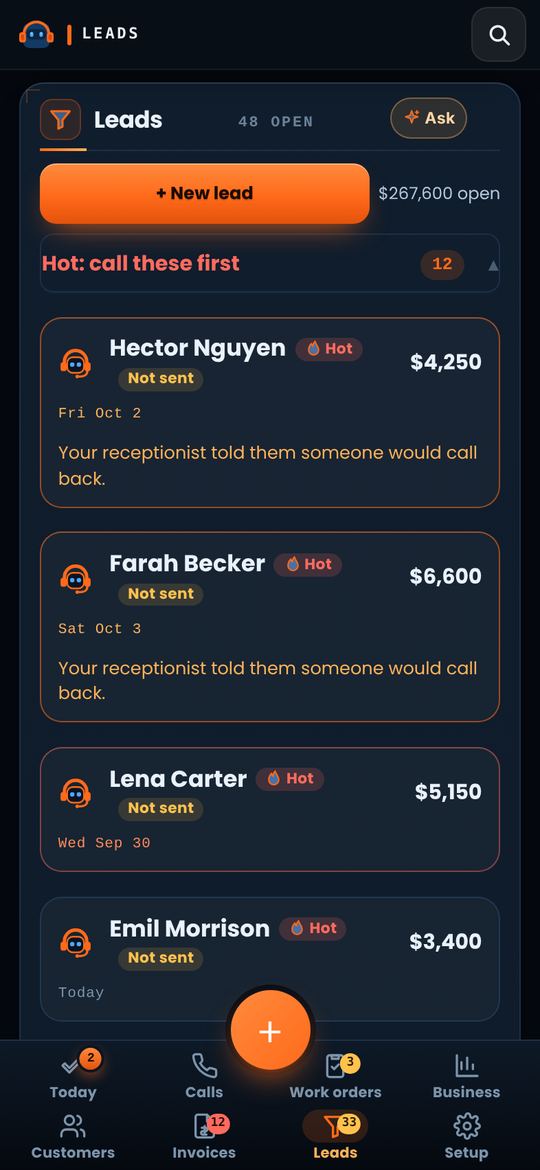
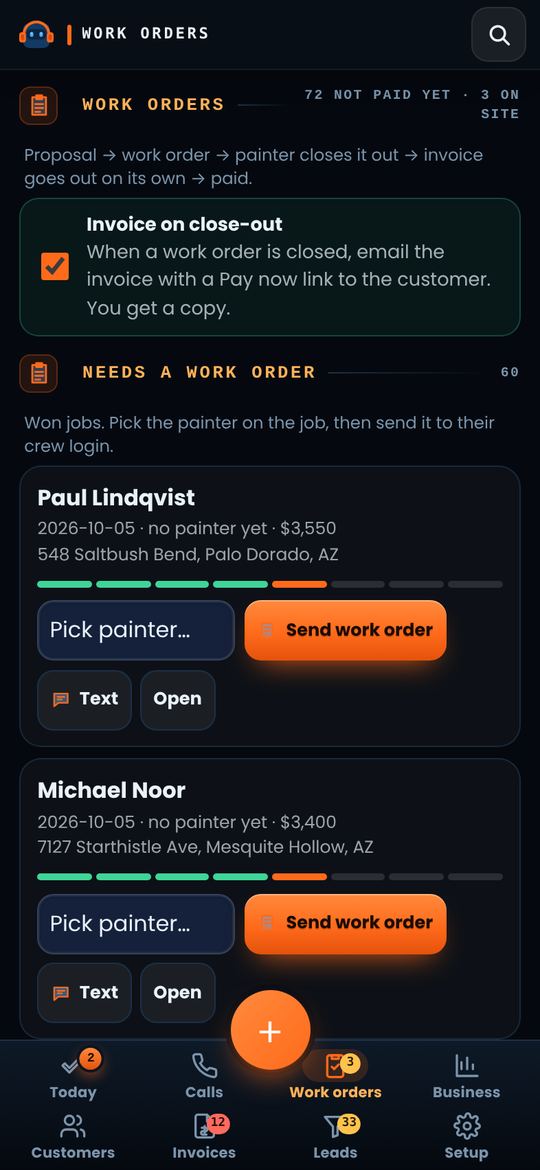
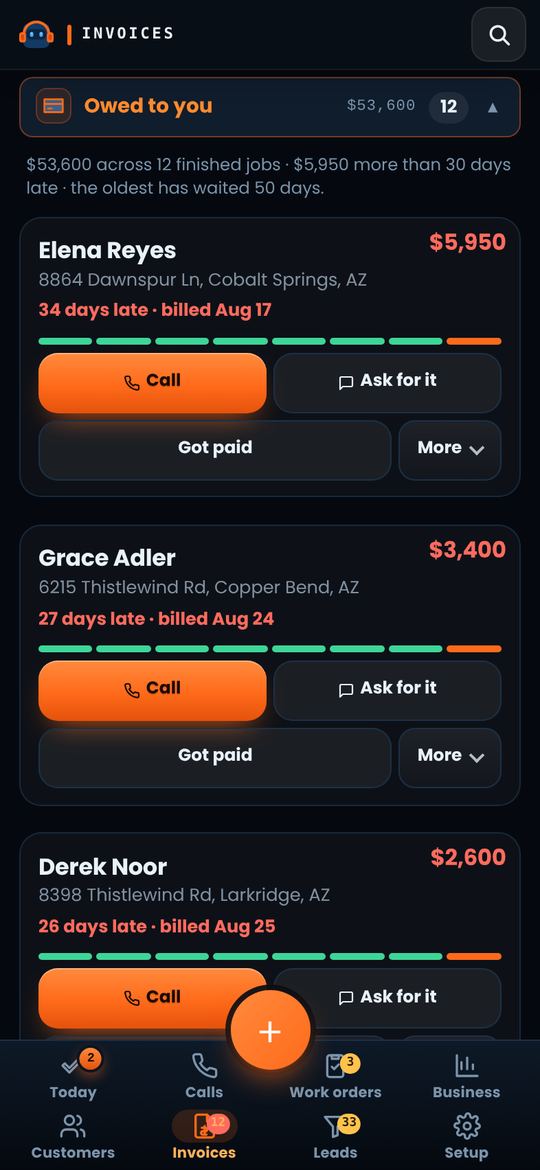
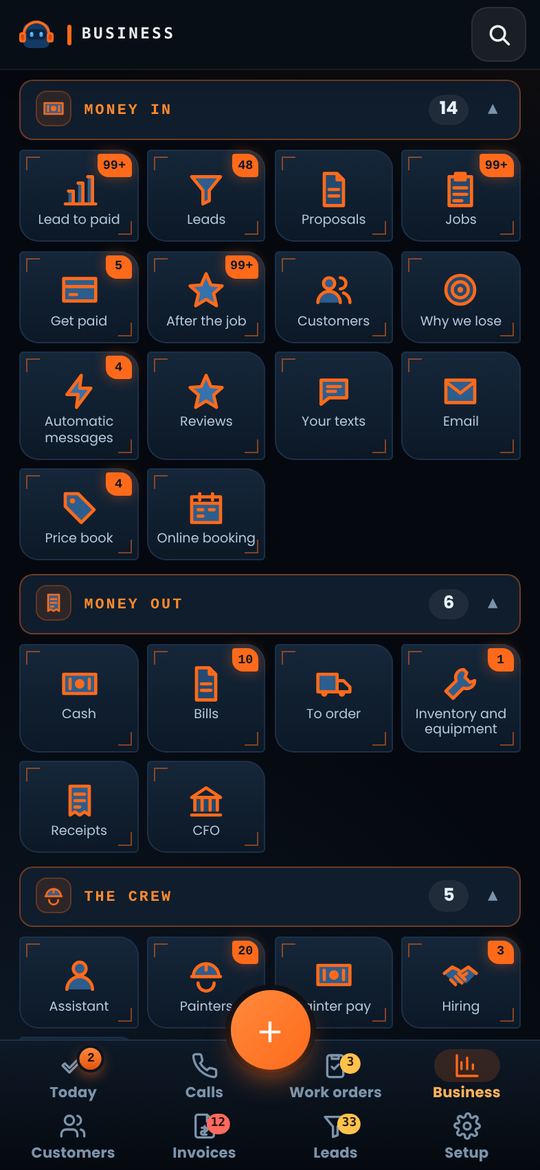
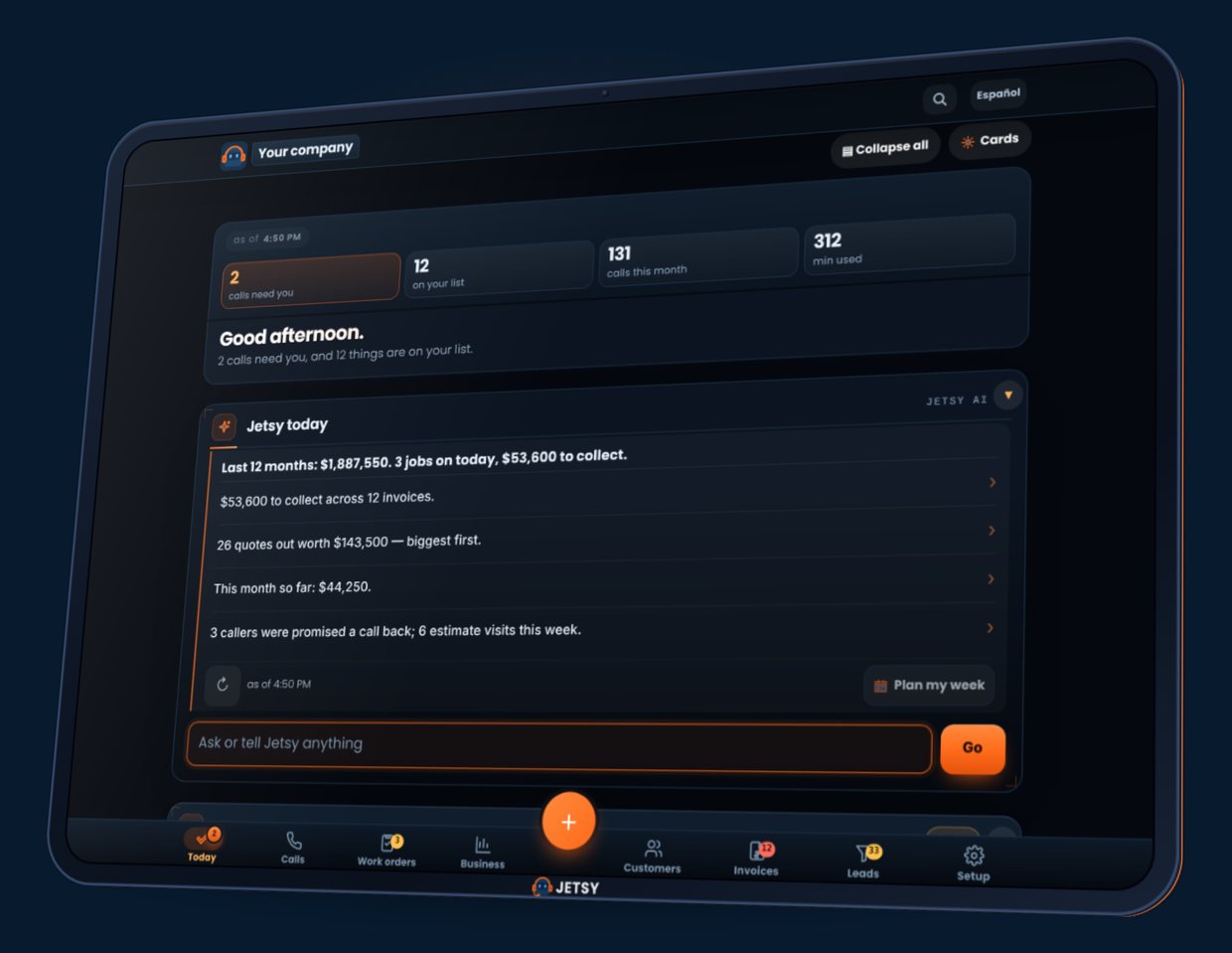
Easy to switch. Runs on the tablet you already have.
Jetsy opens in the browser, so the phone, tablet or computer you already own is all it needs. Nothing to install.
- Bring your customers in from your phone’s contacts in a few taps.
- Your quote is already written for your trade. Add your prices and send it.
- Keep your phone number. Forward it to Jetsy when you want calls answered.
- No contract and no setup fee. Your customers stay yours.
And a phone that answers when you can’t.
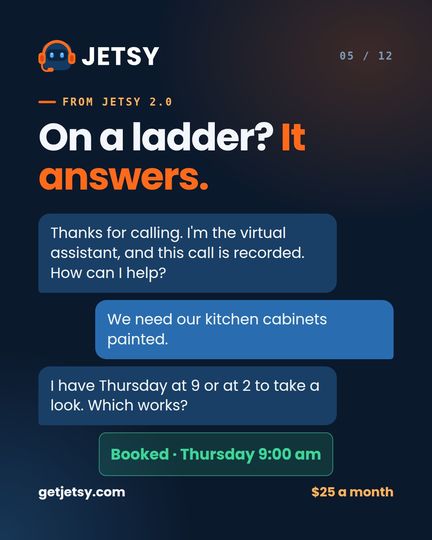
On a ladder, on a job, at dinner. Jetsy answers in English or Spanish, takes the address and books the visit — and it’s on your board before you get home.
That’s the real thing. You keep your own number and forward it.
- Incoming call · Tuesday 7:40 pm
- Thanks for calling Happy Brush Painters. I’m the virtual assistant, and this call is recorded. How can I help?
- Hi, a leak stained our ceiling and we need it painted.
- We can help with that. What’s the address?
- 4410 East Cactus Road, Phoenix.
- I have Thursday at 9 or at 2 for someone to look at it. Which works better?
- Thursday at 9.
- Booked · Thursday 9:00 am · already on your board
Your words. Your language.
Pick your trade, it fits
The services, the price-book units, the booking list and the questions callers ask all change to your work. Not on the list? Fill in your own.
Tap yours to open the sample in your trade.
Home services
Outdoor & property
Building & remodeling
Automotive
- Other — whatever you do
English and Spanish, no upcharge
One tap switches the whole app. Your booking page speaks Spanish to Spanish phones on its own.
Ten minutes from sign-up to your first quote.
Sign up and pick your trade
Your company name, your trade and a card. The words and services set themselves to your work.
Bring your customers in
Pull them straight from your phone’s contacts. Type your rates once into the price book.
Send your first quote
Add a before photo, ask for a deposit and send it. Your booking link is ready to share the same night.
See your first quote before you sign up.
Pick your trade and type your price. This is the quote Jetsy starts you with, and the text your customer gets.
Your customer asks
Quote ·
Your company · your logo · your colors
The text your customer gets
Start free with this trade →Do the math on your own job.
Type what an average job brings you. That’s all it takes.
A year of Jetsy 1.0 is $300. One $1,500 job pays for 5 years of it.
So Jetsy only has to save you one job a year, a lead that would have slipped or an invoice that would have sat, to pay for itself.
$25 a month × 12. Your own number, our price, nothing else.
The complete system to run your restaurant.
One system from the first order to closing the day, set up for the kind of place you run.

Take orders on the tablet, with each dish’s choices asked right there: how it’s cooked, sides, add-ons.
Orders reach the cooks the moment they’re sent. They tap each one when it’s up.
Your own page for pickup orders, paid up front and sent straight to the kitchen.
Couriers through Uber Direct, on your own account, for the orders you deliver.
Hold a card on a reservation. Charge it only if they don’t show.
A screen for guests: what’s cooking and what’s ready, by number or first name.
Keep taking cash orders with no signal. They send themselves when it’s back.
Try every screen with a sample menu before your first real order.
Tonight’s covers, food and staff cost, menu margins, the order, the staff schedule and prep lists.
Free Build Your Business Workshop
Sponsored by Jetsy 🤖
An hour every Thursday for local business owners: meet each other, leave with a free website and free graphics, and learn to run Meta and Google ads that make money. Free, and anyone can come.
- Jetsy NetworkingMain focus
Meet other local business owners and help each other grow. - A free website
We build your business its website, free. - Free graphic designs
Logos, posts and flyers for your business, free. - Meta ads, step by step
How to make them, upload them, test them and make them profitable. - Google ads
Get found when people search for what you sell: how to set them up, test them and make them profitable. - Tablets at the tables
Make your own designs and posts, then send them to yourself through Jetsy.

Four packages for each. Month to month.
Start with the office for $25 and add the phone, the website or the rest when you want them. For restaurants, the register comes with the $250 package.
Home services
$25 /month
$18.25 a month with CRM27
The whole office
- Leads, customers, jobs, quotes and invoices
- Price book, so every job is priced the same way
- Before and after photos on quotes and invoices
- Card payments and deposits, straight to your bank
- Online booking page for your customers
- Calendar, routes, crew and crew pay
- You answer your own phone
$50 /month
And a phone that answers (optional)
- Everything in Jetsy 1.0
- Answers every call, day or night
- Takes the address and books the visit
- English and Spanish, no upcharge
- 100 call minutes a month, then 25¢ a minute
- The receptionist is optional. Skip it and answer your own phone
$100 /month
And a website built for you
- Everything in Jetsy 2.0
- A 10-page website, English and Spanish
- Your quote form lands on your board
- A login for your office assistant
- 500 call minutes a month, then 25¢ a minute
$250 /month
And Jetsy Brain
- Everything in Jetsy 3.0
- Ask anything about your business, answered from your own numbers
- Bank feed and test calls
- 1,000 call minutes a month, then 25¢ a minute
Restaurants
$25 /month
The back office
- Menu costs and margins: the dishes losing you money come to the top
- Tonight’s covers, food cost and staff cost
- Stock, par levels and the supplier order
- The staff schedule, prep lists, opening and closing checklists
- Guests’ allergies, birthdays and favorite tables
- Book-a-table link, with a card hold for big tables
- Try the register in practice mode
$50 /month
And a phone that answers (optional)
- Everything in Jetsy 1.0
- Answers every call: reservations, hours, questions
- English and Spanish, no upcharge
- 100 call minutes a month, then 25¢ a minute
- Optional: skip it and answer your own phone
$100 /month
And a website built for you
- Everything in Jetsy 2.0
- A 10-page website, English and Spanish
- A login for your manager
- 500 call minutes a month, then 25¢ a minute
$250 /month
The complete restaurant system
- Everything in Jetsy 3.0
- The register, the kitchen screen and Now serving
- Online orders for pickup, delivery by Uber Direct
- Cards, cash and tips; keeps selling with no signal
- Jetsy Brain: ask anything about your restaurant
- A tablet for the register, a sign-on gift that’s yours
- 1,000 call minutes a month, then 25¢ a minute
Or try the restaurant system free for 7 days, in practice mode →
Month to month. No setup fee. Card payments use your own Stripe account; Stripe’s card fee applies.
Straight answers.
Is there a contract?
No. It’s month to month. Stop whenever you want, and download everything on your board before you go.
Do I keep my phone number?
Yes. On the plans that answer calls, you forward your own line to Jetsy. Customers keep calling the number they already have.
I’m not a painter. Does it fit my trade?
Yes. Pick your trade when you sign up and the words, services and questions change to fit it. If yours isn’t on the list, pick Other and fill in your own.
How do card payments work?
You connect your own Stripe account once from Setup. Customers pay from the invoice or quote, and the money goes to your bank, not ours.
Is the restaurant system a different app?
No. It is the same Jetsy, set up for a restaurant when you pick restaurant, food truck or catering at sign-up: the register, the kitchen screen, online orders and the back office.
Do I need to buy a tablet for the register?
No. Restaurants on Jetsy 4.0 get a tablet for the register as a sign-on gift, theirs to keep. The register also runs on the phones, tablets and computers you already have.
Does it work on my phone?
It was built on one. Everything, from pricing a job to sending an invoice, is done from a phone.
Straight talk for running a trade.
How to Price Every Dish So It Actually Makes Money
Set restaurant menu prices that cover food costs and labor. Learn the math behind pricing each dish for real profit.
3 min read Quotes & pricingHow a CRM Actually Helps You Close More Jobs You Quote
A CRM keeps your quotes, follow-ups, and customer history organized so you stop losing jobs to forgotten callbacks and poor tracking.
3 min read RestaurantsOnline Ordering for a Small Restaurant: Keep the Orders Your Regulars Already Want to Give You
Your regulars would order from you straight if it were easy. How to set up your own ordering link for pickup or delivery and get people to use it.
2 min readStop running the business from your memory.
Put your next job, or tonight’s service, on Jetsy. A guide walks you through setup the first time you log in.